
When you publish a new webpage or blog post, it’s easy to only focus on what’s on the page.
You spend hours perfecting the layout, polishing the copy, and choosing and editing just the right images. But before a human ever lays eyes on all that hard work, digital gatekeepers, AKA crawlers, have to read it first, and they do this through your metadata.
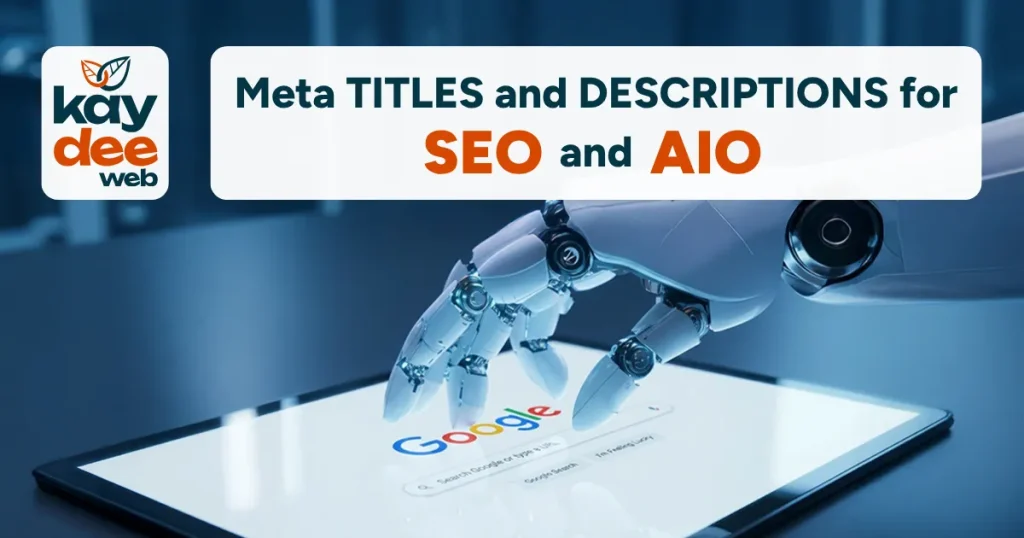
We used to optimise meta titles and descriptions for search engines like Google, but the digital world has evolved, and to keep up, we now need to optimise them for AI as well.
Let’s explore what search engines expect, crawl errors, and how AI is changing the rules of metadata.
Crawl Errors vs Optimisation Warnings
If you are using an optimisation tool (like Yoast or Ahrefs), you might sometimes see alerts about your pages, and it’s important to know the difference between a crawl error and an optimisation warning.
A crawl error means a search engine bot encountered a technical issue while trying to access your page (such as a broken 404 link). If a bot can’t crawl your page, it can’t index it and show it to users, so your website gets lost.
However, many common alerts are simply optimisation warnings caused by your metadata formatting.
If your tool flags issues like “Title too long” or “Description too long,” here is what is actually going on behind the scenes.
What Does “Title Too Long” Mean?
People often think this error refers to the H1 title, the main title visible on your web page, such as the heading at the top of your blog post, but this can be as long as you like, though we recommend you keep it short, eight words maximum, with a good hook.
The “title too long” error actually refers to the meta title (sometimes called a title tag), tucked away in your page’s code that appears in search engine results and browser tabs.
Where Are The Metadata Fields Hiding?
If you use a Content Management System (CMS) like WordPress or HubSpot, you’ll find the metadata fields in your SEO plugin or in the default SEO settings panel at the bottom or side of your page editor. They will be labelled “SEO Title” or “Meta Title”, and “Meta Description.”
Size Matters (Sort Of)
Search engines don’t technically have a character limit, but they do have a pixel-width limit on screens. If you go over this, they will cut off your text and add an ellipsis.
Here are some tips to make sure people see the whole picture.
Meta Titles
- Keep it between 50 and 60 characters (under 600 pixels). This is typically 6 to 10 words.
- Put your most important target keyword at the beginning so it doesn’t get cut off, and, if it fits, end with your brand name.
Meta Descriptions
- Aim for 120 to 158 characters. Desktop screens can display up to 158 characters, but mobile screens cut off at around the 120 mark.
- Put your best hook and call to action in the first 120 characters so mobile users see it, then use the remaining space to add extra context for desktop users.
LLMs: The AI Generation Gatekeepers
As AI-powered Large Language Model (LLM) search tools like ChatGPT, Claude, and Gemini become increasingly popular ways to find information, we have to ask whether they have their own metadata rules and whether those rules are the same as Google’s.
The short answer is yes, they are different, but they work together.
While the AI part of optimisation relies on the same metadata fields, LLMs process them with a different kind of “brain.”
Google rewards short, punchy, keyword-fronted hooks that fit within their pixel boundaries, cutting anything that spills over. Its main goal is to drive clicks by matching exact search terms.
LLMs care more about context, conceptuality, and clarity. This means ensuring your search prompt is clear, unambiguous, and context-specific so that AI understands exactly what you mean.
AI search engines don’t have pixel limits; they can read and synthesise your metadata regardless of whether it’s been shortened for the small screen.
Instead of looking for an immediate keyword hook, an LLM assesses your metadata to understand the intent of your content and ensure it accurately summarises the search topic.
When an AI bot crawls your website to answer a user’s prompt, it reads your metadata to decide if your page is contextually relevant enough to pull information from.
If your meta description is just a string of keywords, the AI might pass it over because it lacks semantic substance.
Should You Write Different Metadata for AI?
You don’t need to create separate text for AI, but you should tweak how you write it.
Here are some tips to check both the SEO and AIO boxes.
- Stick to Google’s Guidelines: Use the recommended 60-character title and 150-character description limits so your metadata still looks polished in standard search results.
- Write for Semantic Meaning: Don’t keyword stuff. Instead of writing, “SEO Agency London, Best SEO Services, Marketing London,” write a natural, human sentence, like: “Boost your digital footprint with tailored SEO services from London’s leading marketing experts.”
- Be Honest and Direct: LLMs are built to detect whether metadata matches the page’s actual content. Accurate, summary-driven meta descriptions make AI feel confident citing your website as a source.
The Long and Short of Metadata
Don’t let your optimisation tool’s crawl errors panic you; they are guardrails keeping your metadata clean and clickable.
By sticking to these guidelines and keeping your metadata clear, authentic, and authoritative, you’ll stay in Google’s good graces and keep AI crawlers happy, too, so that as technology develops, your business continues to be found.