

Keeping up with all of today’s optimisation acronyms feels a bit like trying to explain, well, optimisation, to your nan.
We’d all just got our heads round Search Engine Optimisation (SEO), and now there’s Artificial Intelligence Optimisation (AIO), Answer Engine Optimisation (AEO), and Generative Engine Optimisation (GEO).
So how do we structure our website’s written content to satisfy them all?!
Well, luckily, they all want the same thing. Whether you’re trying to get in Google’s good books, get a digital citation from Gemini, or feature in an AI Overview, you need to nail one thing: structure.
Throwing a seemingly never-ending wall of text onto a webpage is off-putting for humans and confusing for bots.
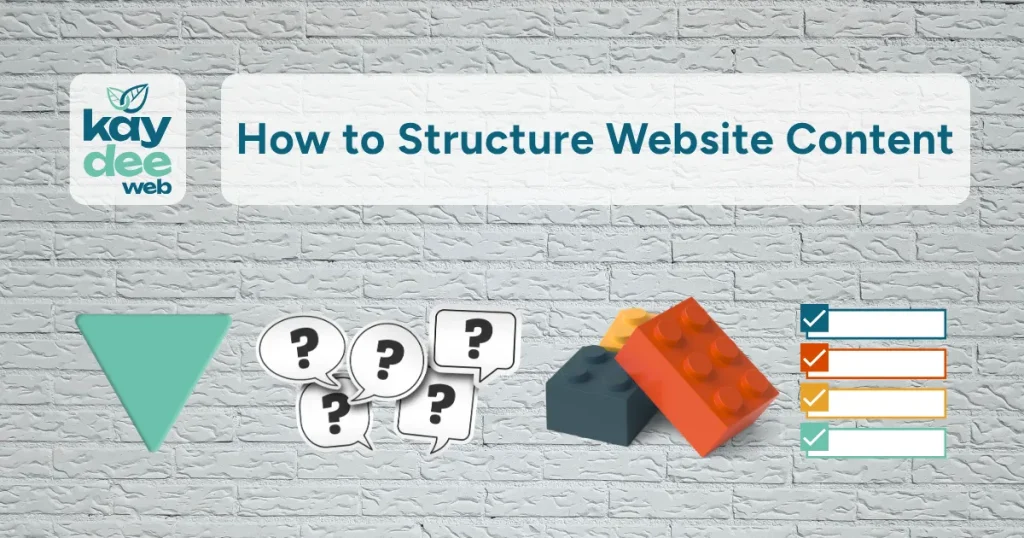
Here are 5 ways to structure your website copy to keep your audience engaged and the algorithms following.
The Atomised Approach
Atomising your content means breaking it down into bite-sized bits of information.
If a section of your blog post or webpage answers a specific question, make the heading the question itself, and the 40-60 words underneath a clear answer.
Because people tend to ask full questions when using AI tools, generative engines scan your page looking for clear, concise answers. If they find one, they’re more likely to pull that information into their response and cite you as the source.
Why Atomised Content Works
- SEO: Traditional search engines, like Google, love atomised content, and typically use between 40 and 50 words for a Featured Snippet.
- AEO & AIO: AI tools like ChatGPT and Gemini struggle with nuance and ambiguity. They want to pull direct, concise facts to answer a user’s prompt. By atomising your content, you give these engines exactly what they need to generate fast, accurate answers, complete with a link to your website.
Where Atomised Content Works
Atomised content is best for glossary pages, service descriptions, and “What is…” blog posts. Use this format wherever a user might ask a direct question looking for a quick, dictionary-style definition.
The Modular Method
If atomised content is a single brick, modular content is the Lego set. The modular method structures your webpage into distinct sections.
Modular content might look like a “Key Features” list, followed by a “Pros & Cons” table, and a “Use Cases” section. Each module is self-contained, uses its own clear heading, and could theoretically be moved to another page without losing its meaning.
Why the Modular Method Works
- Better AI Recommendations (GEO): Generative engines excel at synthesising information. When a user asks an AI tool to “compare X and Y,” the engine looks for cleanly structured data. Modular formats, especially comparison tables, make it easy for AI to understand and recommend your product or service.
- Clearer Context (SEO): Grouping related concepts into dedicated modules helps search crawlers easily understand the relationship between different topics on your page.
- Improved User Experience (SEO): People tend to scan online content. Modular formatting creates natural visual breaks that make your page easier to digest. Keeping readers engaged for longer signals to search engines like Google that your content is valuable.
Where the Modular Method Works
The modular method is the holy grail for product pages, pricing tiers, and comparison guides. Whenever you’re showing off features, specifications, or pros and cons, use this format to group them into clean, scannable blocks or tables.
The Logical Listicle
We love a list. It’s organised, clear, and easy to follow.
Listicles (or any copy structured as a list) are a powerful structural tool. Whether it’s “5 Steps to Set Up Your Google Business Profile” or a bulleted list of software integrations, this format explicitly signals to readers and bots that your information is organised sequentially or categorically.
Why Listicles Work
- Sequential Logic (AIO/GEO): When a user asks an AI tool, “How do I do [X]?”, it actively searches for lists to provide a step-by-step process. If your copy is structured as a clear sequence, you make it easy for the AIO/GEO tool to use your content as the source of its instructions.
- Scannability (SEO): Search algorithms track user experience signals. Listicles naturally pull the eye down the page, keeping the user engaged.
- Rich Results (SEO): Search engines routinely pull listicles directly into the SERPs (Search Engine Results Pages) as “List Snippets.” If your subheadings form a list, Google will often use them to answer a user’s query right on the results page, boosting your visibility and authority.
Where Listicles Work
Listicles are your go-to for guides, step-by-step tutorials, and resource roundups if there is a process or a sequence to follow; bullet or number it clearly.
The Inverted Pyramid
The inverted pyramid structure is all about front-loading your value. You give away the most important information (the “who, what, where, when, and why”) in the very first paragraph, and leave the background details and context for further down the page.
Why the Inverted Pyramid Works
- Perfect for AI Summaries (AEO/GEO): Generative AI engines like Google’s AI Overviews often build their summaries from the top sections of a webpage. By providing a summary right beneath your main headline, you make it easy for the AI to extract your information and cite you as the source.
- Immediate Clarity for Search Engines (SEO): Traditional search bots don’t want to dig through paragraphs to figure out what your page is about. Front-loading the important information ensures search engines immediately understand your core topic, helping them categorise and rank your page accurately.
- Instant Reader Satisfaction (SEO): The inverted pyramid structure instantly satisfies a user’s search intent, and search engines actively reward pages that give readers what they want, fast.
Where the Inverted Pyramid Works
The inverted pyramid structure is perfect for news updates, About pages, and blog posts where you want to hook a reader (or a bot) instantly with your core message. Give them the bottom line up front.
The FAQ Format
Integrating a dedicated Frequently Asked Questions (FAQ) block at the bottom of your product or service pages, or weaving Q&A formats throughout your copy, is a masterstroke of modern optimisation.
Instead of making users and bots search for answers hidden within text, you literally type out the exact, conversational question your target audience is asking (e.g., “How much does X cost in the UK?”), make the question a clear subheading, and answer it directly underneath.
Why the FAQ Format Works
- Voice Search and AI Answers (AEO/AIO): When someone asks their smart speaker or phone a question, they use natural, conversational language. Answer Engines match these queries directly to the Q&A structures on your site. If your headings match the questions, your content becomes the perfect answer.
- Conquering “People Also Ask” (SEO): Google’s “People Also Ask” drop-down boxes are a prominent feature in search results. Structuring your copy as an FAQ block is the most reliable way to secure this prime spot and drive more eyes to your website.
- Capturing Specific Searches (SEO/GEO): The FAQ format lets you naturally capture highly specific search questions that didn’t quite fit the narrative of your other sections. Answering these questions gives both search bots and AI tools a comprehensive view of your expertise on the topic and boosts your authority.
Where the FAQ Format Works
The FAQ Format is ideal for sales pages, landing pages, and contact pages. Put them at the bottom to eliminate buyer friction and pricing queries, and to target highly specific searches.
The Structure Secret
Psst…you don’t need to choose just one of these structures; the best websites use a mix of all five. The key is knowing where to use each one.
Format your copy with precision, cut the fluff, and remember: if a machine can understand it, a distracted human probably can, too.
If you need help with how to structure website content, get in touch; we’re pros.